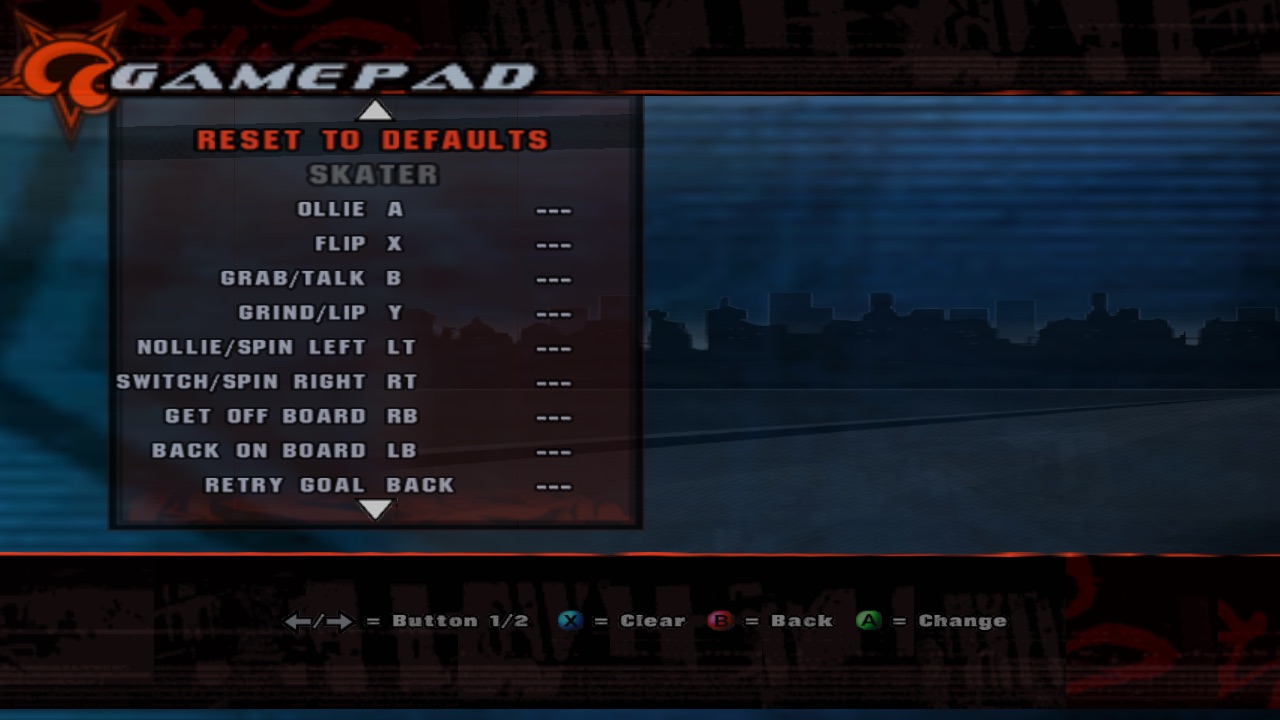
Gamepad settings
How to add Options › Gamepad on top of the keyboard menu: the same code for both devices, conflicts that know A means Ollie when skating and Accept in menus, and a prompt that listens to the controller.
1One binding engine, two device tables
p_keybindings became p_bindings: a table per device, plus where each action works.
2Conflicts only where actions meet
Keyboard actions are all mBIND_ANYWHERE, so for keys this collapses to "one key, one action". Same code, two personalities.
3Rewrite the controller reader around bindings
Every input (buttons and both triggers) is read into a per-port table with its context; actions decide the PS2 bits. On a trigger, nollie/switch still press both halves only when pulled past halfway, like the Xbox.
4Listen to the controller: fresh presses only
The A you pressed to open the prompt is still down when it opens. Only a button that goes down after counts; everything held is blocked until released. Start cancels, like Escape on the keyboard, and isn't bindable for that reason.
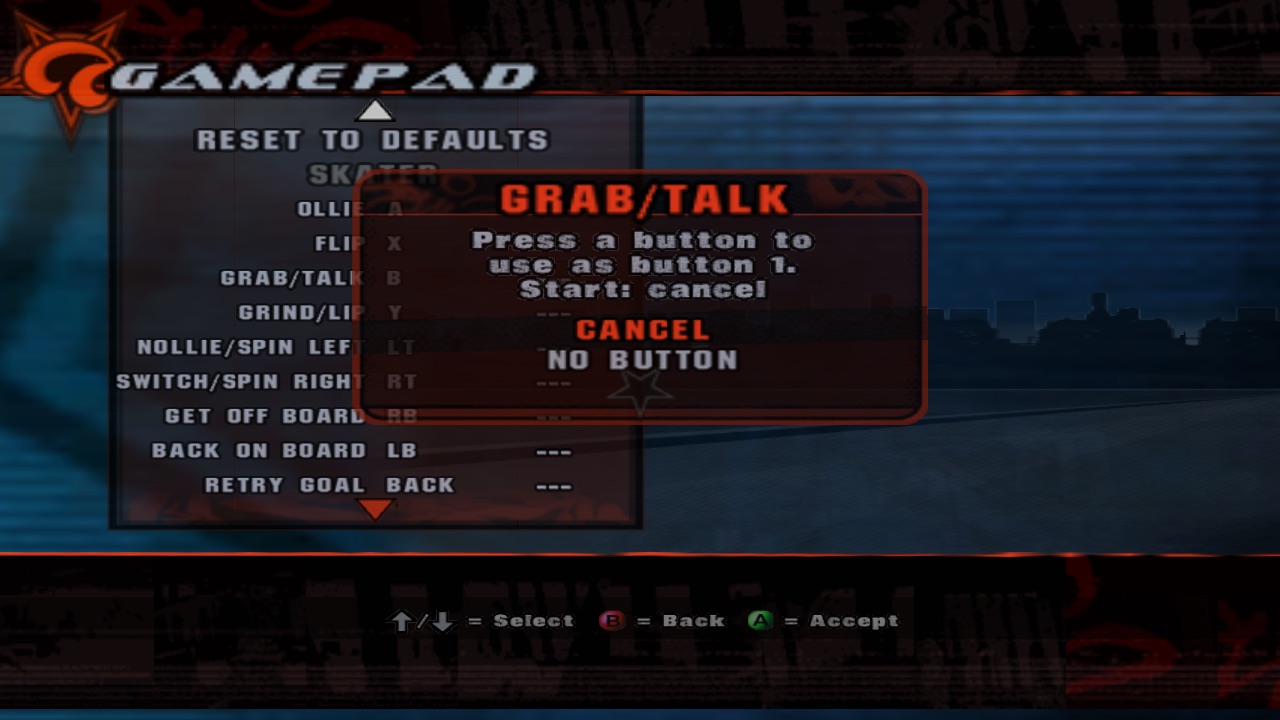
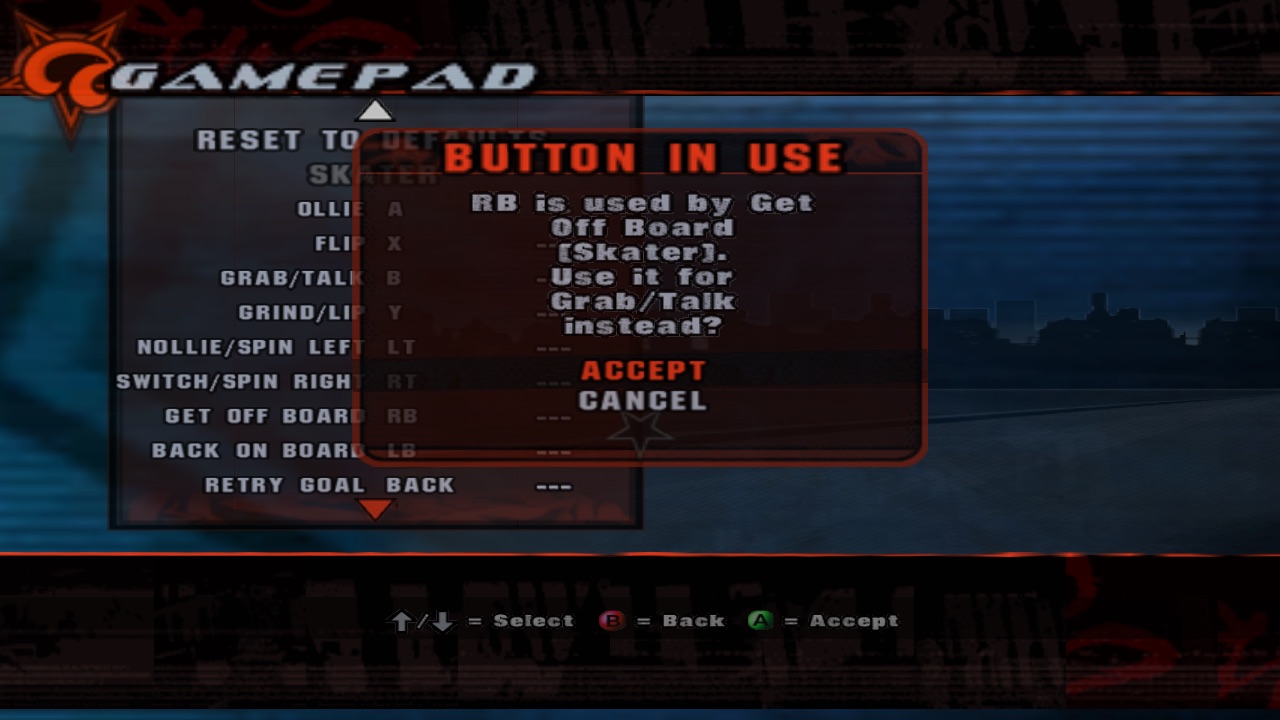
First version captured the A that opened the prompt. Every action got bound to A. Very consistent. Very useless.
5Rescue Select
Back used to send Select, which looked unused until panelstuff.q turned up: { pad_select goal_retry_select_handler }.
It's the quick goal retry. It became an action (and a keyboard action too, unbound by default).
6One menu script for both devices
Script functions take a device; the menu sets a global and the same rows, prompt and dialogs serve both.
X (Square in menus) clears the selected slot, so controller-only players can unbind too.