How save works
How the console "memory card" became a folder of folders, and how to keep saves out of a read-only app bundle.
1Pick the console code path that fits a filesystem
The game runs its Xbox save code (Config::HARDWARE_XBOX): every save is a directory with a display name,
holding the data and an icon. Display names may contain characters files can't, so each folder gets a sanitized
name and keeps the real one in SaveMeta.txt, like the Xbox's SaveMeta.xbx.
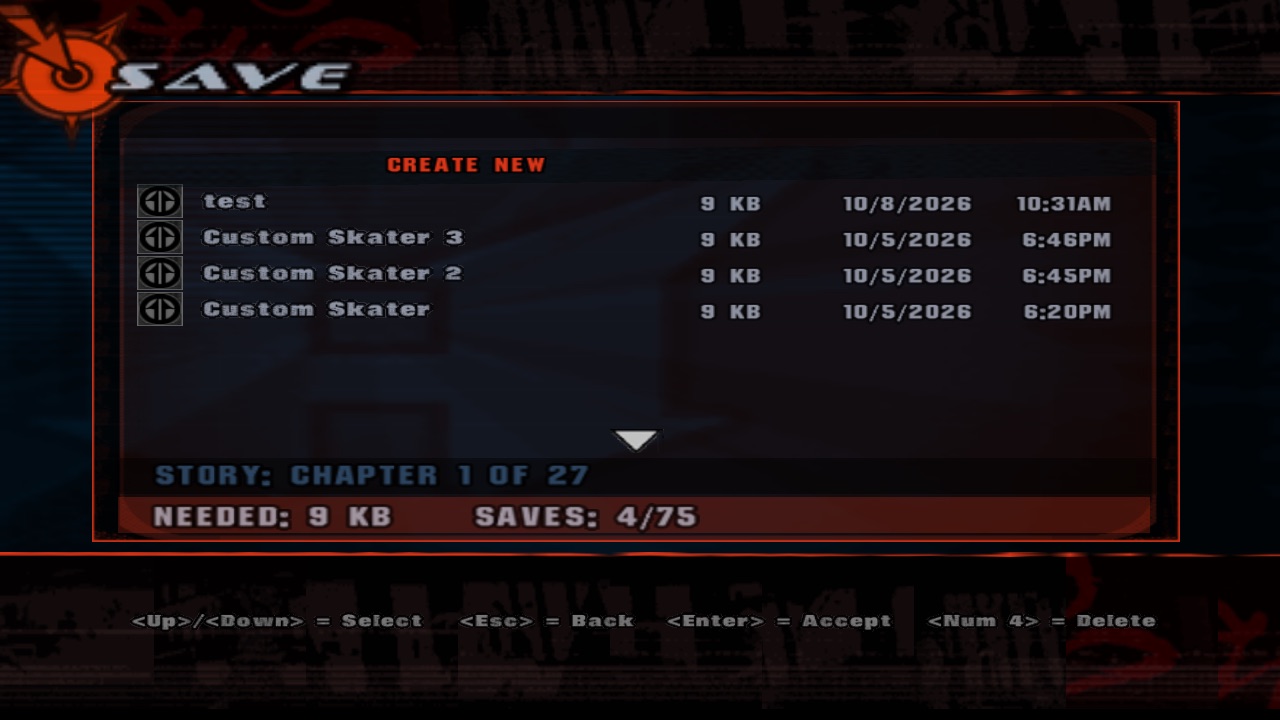
save/ with their SaveMeta.txt names, sizes and dates.An int holding a FILE*: fine in 2003, a segfault with extra steps in 64-bit land. Hence the handle table.
2Move user files out of the bundle
From a disk image (read-only) or after Gatekeeper translocation, the app can't write next to itself, and an update
would wipe it anyway. So user files get their own root: next to the executable for a plain build,
~/Library/Application Support/THUG for THUG.app.
3Know where your saves are
| Running | Saves | Settings |
|---|---|---|
./Game/THUG | Game/save/ | Game/config.ini |
THUG.app | ~/Library/Application Support/THUG/save/ | ~/Library/Application Support/THUG/config.ini |
Back up a save by copying its folder; delete one in the game or by deleting the folder. The most recent story/skater save loads automatically at start.