Keyboard settings
How to add Options › Keyboard: grouped actions, two keys each, a "press a key" prompt,
conflict popups, Reset to Defaults, all saved to config.ini.
SDL_SCANCODE_KP_2 left in the input code.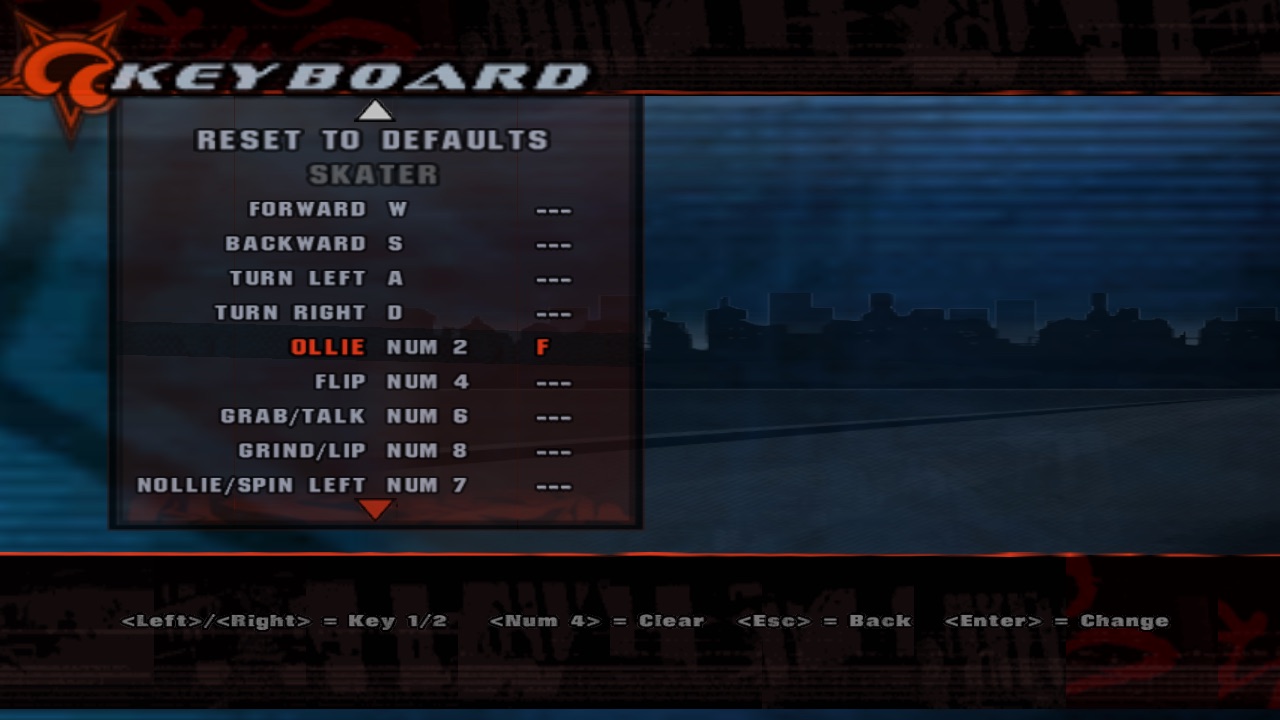
1Share config.ini between modules
The Screen code used to rewrite the whole file. A tiny INI helper reads one section and rewrites only that section,
keeping the rest, so [Screen] and [Keyboard] can coexist.
2Describe actions as data
One table: the name in config.ini, the text in the menu, the group, and up to two default keys. The retail
layout lives here now, not in ifs.
SDL calls the numpad keys "Keypad 2". The menu box is 265 units wide. Meet "Num 2", born of a layout emergency.
3Read actions, not keys
Every scancode is tracked with the context it went down in; an action is held when one of its keys is. Enter and Space are skipped in menus, where the front end already treats them as "choose".
4Steal the next key press
While the prompt waits, the keyboard belongs to it: key-downs and the text they type are swallowed, Escape cancels, Backspace clears. Keys still held when it ends stay blocked until released, so the Enter you just bound doesn't immediately "choose" the menu item again.
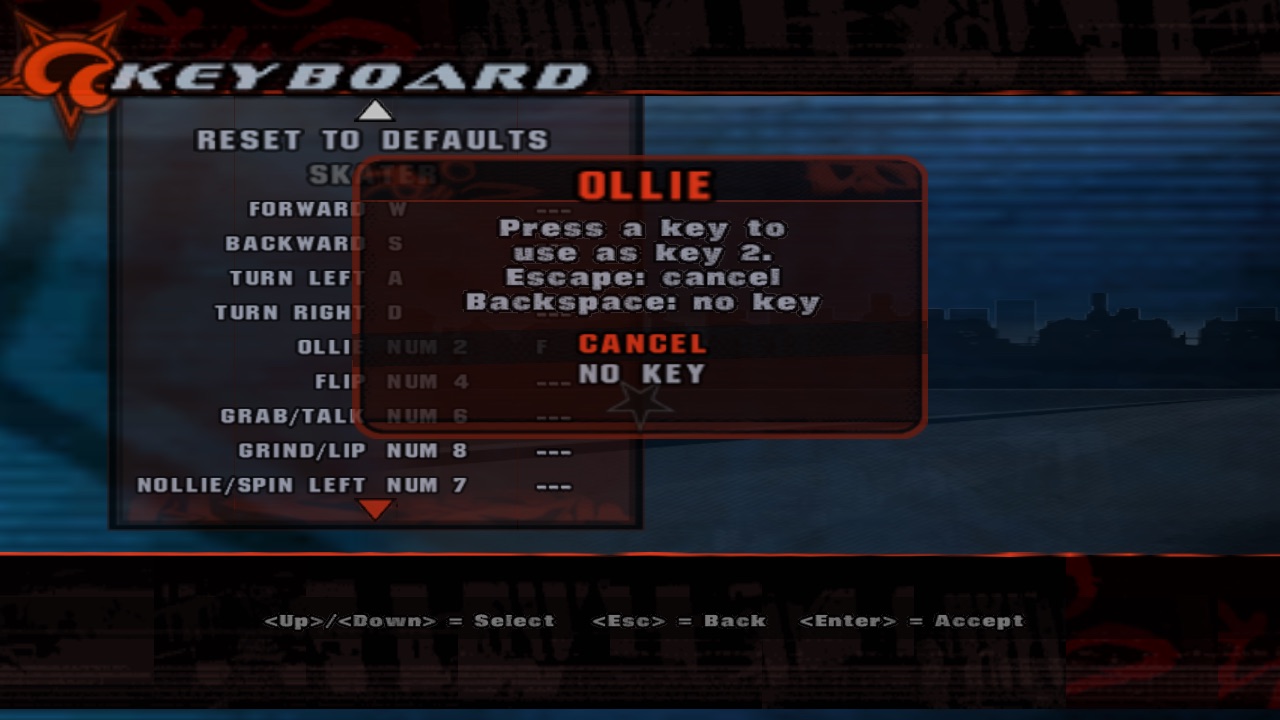
Without s_eat_text_input, binding Space also typed a space, which the menu read as "accept", which opened the prompt again. Infinite skate park.
5Save, with the defaults written out
On first start the whole section is written, defaults included, so you can edit keys in a text editor too. Missing actions get their defaults and the file is rewritten.
6Build the menu
Each row is a theme menu item: the action's text right-aligned, key 1 as the item's "extra text", key 2 as an extra child. Left/Right picks the column, a spawned script polls for the captured key, and a conflict gets a dialog.
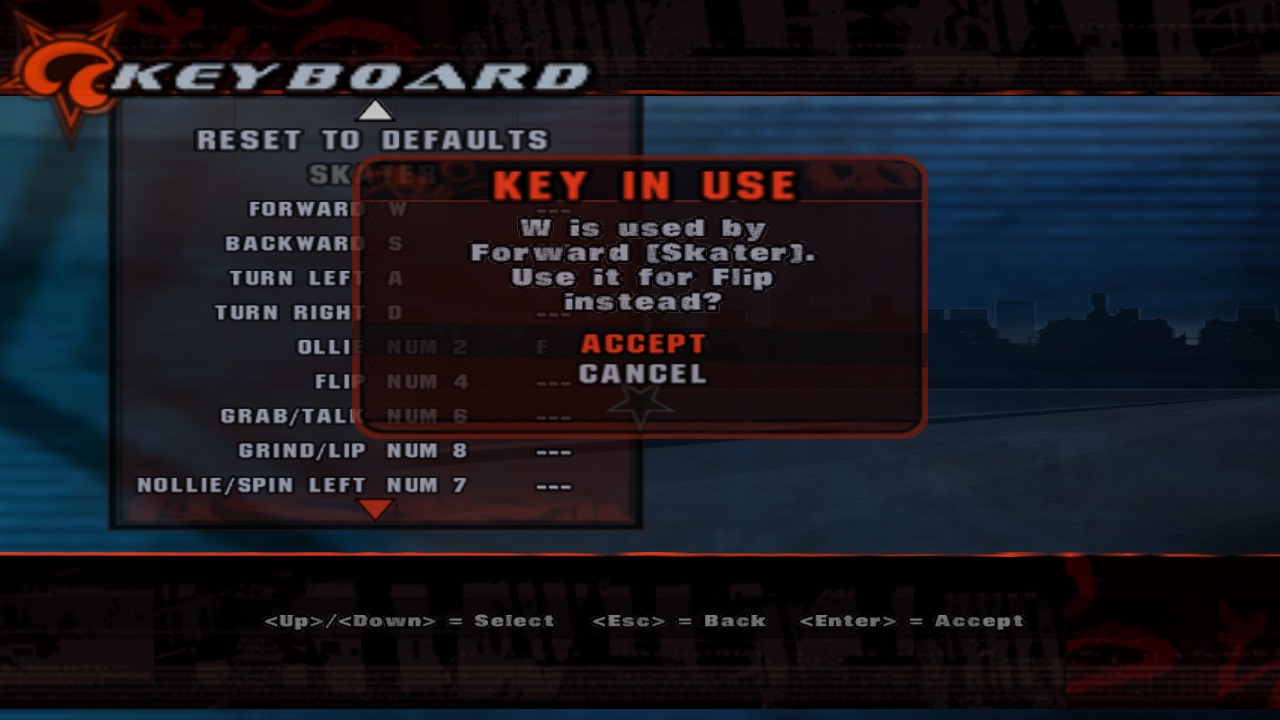
no_bg on the dialog, or it rebuilds the main menu backdrop with the same id and takes yours with it when it closes. The sky went grey. Twice.